

Blog Categories
Web design Branding Blogging Social Media Inbound All
We post weekly tips, tricks, and marketing advice to help grow your business.

Small Business Website Design Packages
Take a look at your website. Do you love what you see? Do your visitors love what they see? Think of your website as another face of your company. If it doesn’t represent your style and brand then it’s time for a change.
The Little Marketing Genius is now accepting new 2019 website clients!

Take a look at your website. Do you love what you see? Do your visitors love what they see? Think of your website as another face of your company. If it doesn’t represent your style and brand then it’s time for a change.

We’re Now Accepting 2019 Website Clients
If your small business website isn’t where you want it to be, make 2019 the year you invest in transforming it. It will be worth every penny … that, we can promise you. We’ll collaborate with you to ensure your new website accurately and professionally reflects your small business. Using eye-catching imagery, clean white space, and creative copywriting, we’ll bring life to your brand online. And we’ll help you incorporate lead generation tools that will work for you 24/7.
Getting a visitor to your website is a big enough challenge. Keeping them active and engaged once they’re there … well, that’s a whole different story! However, with a balanced mix of great content, seamless functionality, and enticing CTAs, it’s absolutely possible. And together, we can make it happen.
If your current website is outdated, uninspiring, or just plain confusing, you’re giving your competition the perfect opportunity to swoop right in and steal potential customers. Let us help!
The Process
Working with us is not the typical agency experience. We’re focused on small business owners who find value in professional marketing. We’ll get to know you and your business so we can build a site that’s perfect for you.
It all begins with a FREE 15-minute consultation. We’ll take a look at your current site and together we can begin the process for making it so much better. From there, we’ll:
Create or update your brand image if needed
Determine the design and functionality elements that you want
Plot out keywords that will help your site rank in search results
Strategize how and where call-to-action buttons will be used
Develop a plan for blogging if desired
Make recommendations for opt-in gifts or downloadable content
Construct a project plan
Build and launch your dream website!
We offer solutions that fit your needs.
The Packages
Just like every small business, each small business website is unique! We offer two different packages based on what you’re looking to accomplish. Purely Pineapple (a maximum of six pages) is our most basic package. Need branding and copywriting, too? Our The Pina Colada is the package for you.
NOTE: If you pay in full for either of these two packages, you’ll receive a 5% discount! For up-to-date pricing, please visit our Web Design page.
If you need something that’s not included in one of our two packages, take us up on a free 15-minute consult so we can gather the information we need to prepare a custom proposal for you.
Is working with The Little Marketing Genius right for me?
We understand. A website is a big investment for a small business … and one that should be taken seriously. So how would you answer these questions?
Do you place great value on having a beautiful website that your visitors will love?
Are you willing/able to invest at least $2,000 for the project?
Would you make it a priority to submit feedback and/or necessary content that we need from you while designing your website?
Are you excited to get this party started?
If you answered Yes to all four of these questions then, YES … we’ll make a perfect fit!
Don’t let another minute pass of being dissatisfied with your website. Book your free consult with us today!


From The Mouths Of Smiling Customers: 4 Creative Ways To Repurpose Your Reviews
People trust their peers more than they trust marketers. That’s why it’s incredibly wise to try and leverage any glowing reviews you receive from happy customers or clients. How can you go about doing this? Let’s jump right in!

It’s quite literally one of the best feelings ever. That moment when you receive a notification from Google stating that someone left you a 5-star review. I don’t know about you but whenever I see one of these, I immediately stop what I’m doing to go check it out. Seriously. I can barely contain myself in these moments.
Reviews … either positive or negative ... can seriously impact your business. Why? Because people trust their peers more than they trust marketers! Forbes research showed that “81% of consumers’ purchasing decisions are influenced by their friends’ social media posts.”
And according to Harvard Business Review, “84% of B2B buyers are now starting the purchasing process with a referral, and peer recommendations are influencing more than 90% of all B2B buying decisions.”
People trust their peers more than they trust marketers. That’s why it’s incredibly wise to try and leverage any glowing reviews you receive from happy customers or clients. How can you go about doing this? Let’s jump right in!
1. Create a graphic for social media.
Research has proven that social media plays a significant role in the buyer’s journey. Social Media Today sheds some additional light on this trend:
“There is safety in numbers. Human beings in general have a crowd mentality. This phenomenon is behind trends and fashions because people opt to move together in large groups. Thus, it is easy to sway them when they are in groups. This is why social media has become a hit when it comes to marketing. People will largely be convinced to make a buying decision if their peers have already done so. All you need to do is to demonstrate to them how the same product has benefited their peers and friends.”
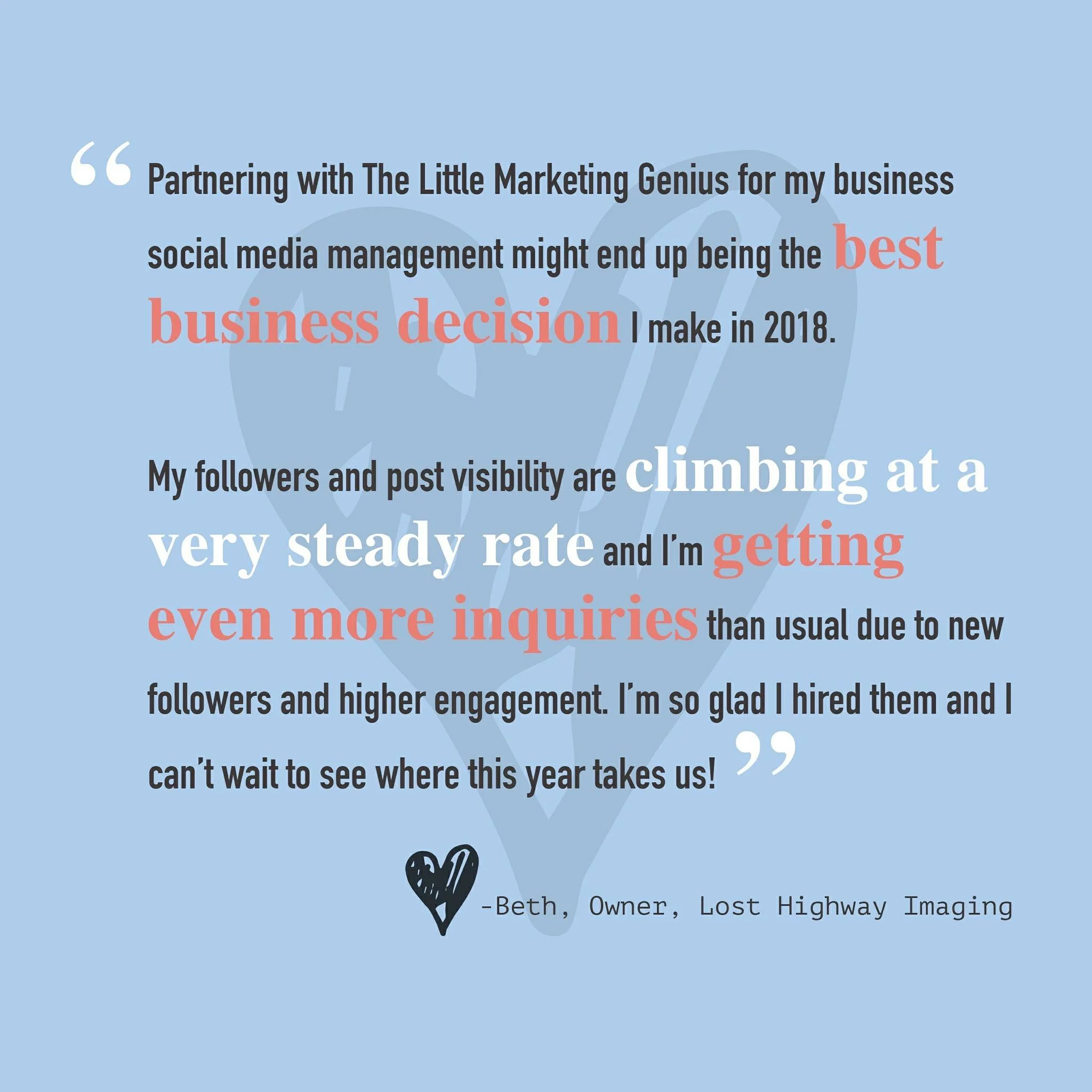
Touting positive reviews in a creative way on social media can pay dividends. By using a platform like Canva, you can quickly and easily overlay text on top of a graphic. Pull little excerpts from your favorite reviews, make them visually appealing, tag the reviewer (with their permission), and post away. It’s as simple as that! Here’s an example of a graphic we created from a Google Review left by one of our favorite clients!
2. Feature your favs in your IG Story.
We love Instagram Stories for many reasons. One reason being we can showcase client reviews there in a really fun way! To see how we do this, simply visit our Instagram (@thelittlemarketinggenius) and click on the Reviews highlight!
Pro Tip: If you can persuade any of your customers to do a short video shout-out, you can upload it to your IG Story for maximum impact
3. Create a Reviews page on your website.
Your customers can essentially post reviews about you in a number of different places … Google, Facebook, Yelp, Trip Advisor … the list goes on. So why not organize the best of these reviews onto a single page on your website? Potential clients love to hear about the successes of other clients. A Testimonials or Reviews page is a great way to showcase all of the kudos you’ve already received. See how we’ve set up our Testimonial Page here.
4. Showcase a blurb in your newsletter.
If you email a regular newsletter to your subscribers, first off, you get a gold star! A newsletter is a great way to stay in front of your audience by sharing current info, events, and specials that pertain to your business. In your next newsletter, reserve a small section to include a blurb from a recent customer review or testimonial. It never hurts to remind your subscribers that you’re awesome (according to your clients).
Repurposing positive reviews and testimonials can pique the interest of future customers. Don’t be shy … use these to your advantage! If you have other creative ways of highlighting past reviews, share them with us in the comments!

6 Elements Of A Good Homepage
Does your homepage provide fast answers or does it leave visitors feeling lost or confused? In this blog post, we’ll share six elements of a good homepage. Apply these to your site and you’re bound to see improvements in page traffic and bounce rates!

You only have ONE chance to make a good first impression. That’s why your small business website must immediately grab the attention of your visitors and pull them in. The fact of the matter is, when it comes to browsing the Internet, people tend to have very short attention spans. They’re looking for answers and information and the expectation is, they’re going to find it quickly.
Does your homepage provide fast answers or does it leave visitors feeling lost or confused? In this blog post, we’ll share six elements of a good homepage. Apply these to your site and you’re bound to see improvements in page traffic and bounce rates!
Element #1: A Clear & Compelling Value Proposition
A value proposition is “a positioning statement that explains what benefit you provide for who and how you do it uniquely well. It describes your target buyer, the problem you solve, and why you’re distinctly better than the alternatives.” (Forbes)
Your homepage needs to quickly and concisely relay what your value proposition is to incoming visitors. If people are left feeling any doubt as to what your business does or how you can help them, they’re going to move right on along to someone else.
Element #2: Contact Information
If someone likes what they see on your homepage, don’t make them go searching for your contact information. Visitors should be able to quickly and easily reach out to you if they so choose. Your business address (if you have a physical location), phone number, and/or email can neatly be placed within the footer of your homepage so it’s not obtrusive yet easy enough to find if needed.
Element #3: Inspiring Photography
One of our biggest pet peeves is seeing low resolution imagery being featured on a homepage (or on any area of a website, for that matter). Original, high-quality photography that showcases what your brand is all about is absolutely the way to go! Do not skimp out. The visuals on your site will captivate your visitors well before the text ever will. If you don’t have beautiful photos to work with, consider investing in a branding photo shoot in 2019!
Check out photos from the branding shoot we did this past summer!

Photo By Audra Nicole Photography
Element #4: Easy-To-Use Navigation
Don’t frustrate your visitors with clunky navigation! Remember, people tend to have short attention spans when browsing online. Allow your visitors to quickly and easily access the information they came looking for. Your navigation should be kept as short and sweet as possible, highlighting the most popular areas of your site. If you utilize sub-menus, they should be organized, intuitive, and easy to explore.
Element #5: A Link To Your Blog
Your business blog should serve as a powerful resource. It’s a place for you to share knowledge and unique insights about your industry. So don’t bury this treasure in the depths of your website! Provide visitors with fast access to your blog by including a prominent link to it on your homepage.
Need some help starting a new business blog? Check out these three blog posts:
Element #6: A Call-To-Action (CTA)
Visitors to your website should have a clear understanding of what action(s) you’d like them to take. Remember, your website (and especially, your homepage), is working for you around the clock. It can collect great new leads if you give it the tools to do so. Incorporating a call-to-action such as “Subscribe To Our Blog” or “Book A Free Consult” will allow interested visitors to take the next step toward doing business with you.
For more on incorporating CTAs on your website, read our blog post, 4 Easy Ways To Capture Leads On Your Website.
Drawing website visitors deeper into your brand starts with an awesome homepage. We’d love to help transform your website into a beautiful and inspiring place that people keep coming back to. Book a free 15-minute consultation with us today!

P.E.A.C.E. Dogs: Bringing U.S. Veterans & U.S. Shelter Dogs Together For A Cause
P.E.A.C.E. Dogs is an enrichment program that prepares, educates, coaches, and empowers veterans and shelter dogs. In this program, local shelter dogs are drafted into Basic Canine Training as Canine Cadets. They’re stationed at Wallingford Animal Control and their missions include field trips to local VA homes. …

Photo Courtesy of Wallingford Animal Control
Sarah Marino, owner of DogFitCT, specializes in training dogs of all breeds using force-free, positive reinforcement techniques. Recently, Sarah decided to intertwine her love of dogs with another cause she is deeply passionate about … U.S. Veterans.

P.E.A.C.E. Dogs is an enrichment program that prepares, educates, and empowers veterans by coaching them to train shelter dogs. In this program, local shelter dogs are drafted into Basic Canine Training as Canine Cadets. They’re stationed at Wallingford Animal Control and their missions include field trips to local VA homes. Veterans who volunteer will learn how to train the cadets on manners, physical fitness, and, of course, having fun!

Bella, PVT, is the most advanced Canine Cadet. She’s pictured here with her pal Mike, a veteran at the rocky Hill Veterans Home. (Photo Courtesy of DogFitCT)
There are currently four cadets enrolled in the P.E.A.C.E Dogs program:
Lilly: She’s known for being energetic, fun, and athletic!
Nola: This pup is sweet, intelligent, and spirited!
Bella: She’s a smart and very vibrant achiever!
Sarge: This guy is on a mission to impress and break records!

Lilly is sporting her hot pink harness … she’s ready to tackle her mileage! (Photo Courtesy of DogFitCT)

P.E.A.C.E. Dogs participated in the 2018 Stand Down event. See Zeva on this poster? She’s a former cadet who has since been adopted! Yay!! (Photo Courtesy of DogFitCT)
Their latest mission … all four pups have either walked or jogged for the 2nd Annual Veterans Day Classic 3 Miler Presented by AT&T Veterans ERG CT/NE! P.E.A.C.E. Dogs is proud to support this Rocky Hill-based event as all proceeds go toward veterans outreach programs! While the cadets can’t be there this weekend for the actual race, here’s the mileage they’ve put in to support the cause:
Bella jogged 3 miles
Lilly walked/jogged 3 miles
Nola completed 1mile at her own pace
Sarge ran 4.2 miles (1.2 miles MORE than required … we told you he was out to break records!)
Interested in getting one of these shining stars stationed in a well-deserved forever home? Contact Wallingford Animal Control today!
To learn more or register for this weekend’s event, happening Saturday, November 10th, visit the Veterans Day Classic 3 Miler website! Psssssst … LMG is participating in this event, too! We hope to see you there!

After his vigorous 4.2 mile run, Sarge stops to pay tribute to our veterans. The flag is at half staff in remembrance of those killed at the Tree of Life synagogue in Pittsburgh. (Photo Courtesy of DogFitCT)

4 Easy Ways To Capture Leads On Your Website
Think of your website as a salesperson who works for you 24/7. Have you equipped this salesperson with all of the necessary tools to ace their job? Not only should your website contain a wealth of interesting and helpful content for visitors, but it should also serve as a portal for capturing new leads! In this blog post, we’re going to share a few easy ways to do this.

Think of your website as a salesperson who works for you 24/7. Have you equipped this salesperson with all of the necessary tools to ace their job? Not only should your website contain a wealth of interesting and helpful content for visitors, but it should also serve as a portal for capturing new leads! In this blog post, we’re going to share a few easy ways to do this.
1. Put your high-traffic pages to work.
Each month, you should actively review your website data. Don’t worry … this is not as scary as it sounds. If your website is integrated with Google Analytics, then you already have access to a plethora of valuable statistics. One piece of data that we like to regularly monitor is page traffic. Page traffic outlines what content your site visitors are most interested in and essentially points you in the right direction for CTA placements.
A call-to-action, or CTA, is an image or line of text that prompts visitors, leads, and customers to take action. It is, quite literally, a "call" to take an "action." (HubSpot)
Many times, CTAs are linked to landing pages where a visitor can complete a form. This form might allow them to book a consultation, download a free piece of content, or even enter some sort of contest. Regardless of what the form is linked to, its sole purpose is to collect information from website visitors.
Placing CTAs (that ultimately link to forms) on your top performing website pages will allow you to strategically capture leads. Just be sure that your offers are enticing and relevant to the website pages you’re promoting them on!
2. Use pop-up boxes.
A fantastic way to grab new blog subscribers is to use pop-up or subscription boxes on those high-performing pages we just discussed. If you’ve poked around on the LMG website, then you’ve probably already noticed how we use these.

That little pink box in the lower left corner = a lead generation tool.
So how did we create these nifty little pop-ups? Using HubSpot, of course! The great news … you can do this even with their most basic FREE Marketing Hub subscription! If you’re interested in learning more about getting your website synced up with HubSpot, then reach out to us.
Lead generation pop-ups can be as loud or subtle as you want them to be. On our homepage, for example, a visitor is only presented with the pop-up box after they scroll through 50% of the page. The box itself is also pretty non-intrusive. It simply appears in the lower left-hand corner of the screen. And we have it set to not reappear for a certain length of time if a visitor X’s out of it.
3. Present visitors with an option to subscribe on every page.
You never know when a website visitor might feel inspired to subscribe to your content. So give them the option to do so on every single page! Whether it’s via a simple button or perhaps a basic one-field form at the bottom of each page, be sure your website visitors have a quick and easy way to subscribe to your content as soon as they want to.
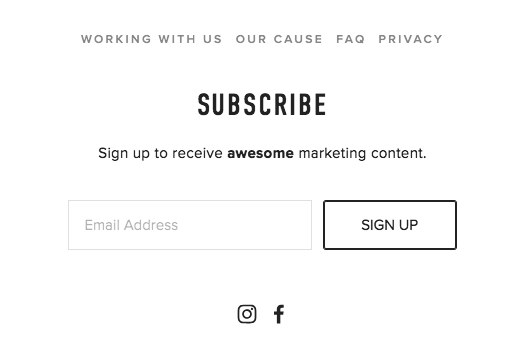
This section is found at the bottom of every LMG web page. It gives visitors a quick and easy way to subscribe to our content. Speaking of which, why haven’t YOU subscribed yet?
4. Activate the power of your blog.
A business blog serves a number of different purposes … the most obvious one being a platform to share valuable content and information with your website visitors. However, the importance of blogging runs much deeper than this. Did you know that each time you publish a new blog post, you’re adding a new page to your website that will eventually be indexed by Google? This equates to more opportunities for you to show up in search results!
Want to learn more about this? Read our blog post on How To Get Found In Google Searches!
Now let’s tie that into our topic of capturing new leads. By including an enticing call-to-action in every blog post, you can acquire pertinent information on new prospects. Having intel on where a future customer is in the buying process (as well as their needs, pain points, and desires) will tremendously improve your ability to effectively market to them in the future.
When placing CTAs within your blog posts, try experimenting with different options in terms of color, style, and even placement. We’ve found that when we place CTAs closer to the top of our posts, they get clicked on more. Graphic CTAs as opposed to linked text also tend to yield a better result. You’ll want to do a little of your own testing to determine what works best with your website visitors.
Remember what we said at the beginning of this post … your website is a 24/7 salesperson! Put it to work by incorporating lead capture mechanisms throughout and never miss another opportunity.
Ready to revamp your website for 2019? We’ll give you a FREE 15-minute consult!

Tuesday Tip #15: How To Create A Social Media Calendar
Raise your hand if you’re fed up with social media! Just when you think you’ve figured out the secret to success in growing your fan base and increasing engagement … BAM! … another algorithm change is announced. Not to mention, it’s one that will turn your current strategy completely upside-down. Ugggghhhh.
A social media calendar will help you stay on point. Yes, it will take some work on the front end but that work will pay dividends in the end. By strategizing and outlining your posts in advance, you’ll drastically reduce the daily stress that comes with managing social media accounts. In this post, we’ll teach you how to put together your first social media calendar!

Raise your hand if you’re fed up with social media! Just when you think you’ve figured out the secret to success in growing your fan base and increasing engagement … BAM! … another algorithm change is announced. Not to mention, it’s one that will turn your current strategy completely upside-down. Ugggghhhh.
Ok, don’t throw in the towel yet. Instead, first read our post on How To Grow Your Social Media (which outlines ways to work with the latest algorithm updates). Then, get yourself organized. It’s hard enough to try and stay current with the constantly changing rules of engagement on social media. Combine that with the energy it takes to create interesting posts on a daily basis … we’re talking lots of EFFORT, folks! That’s why putting together a social media calendar is so critical.
A social media calendar will help you stay on point. Yes, it will take some work on the front end but that work will pay dividends later on. By strategizing and outlining your posts in advance, you’ll drastically reduce the daily stress that comes with managing social media accounts. Staying organized and consistently posting great content will put you at a major advantage. Try it for a month and you’ll see exactly what we mean!
So where to begin? Well, right here, actually. We’ve developed some simple guidelines to help you create your first editorial calendar for social media!
Determine what kind of content has performed best for you in the past.
With Facebook’s new algorithm change, content that doesn’t spark reactions/comments/shares has no chance of reaching a larger audience. That said, you’ll need to rely upon analytics to see what has worked for you in the past. On Facebook and Instagram, you should take a deep dive into your Insights and make note of the posts that outperformed the rest. This will be a great starting place for building your calendar.
Figure out your optimal posting times.
To get the biggest bang for your buck, you'll want to publish content during the times your audience is actually using social media. On Facebook, you can go to Insights and look in the Post Engagements section. This is where you’ll be able to see what days and times your audience engages the most.
Build your editorial calendar.
Now that you know what content resonates most with your audience and when to post, you’re ready to start building your social media calendar. First, let’s highlight some of the tools you can use to do this:
After you pick the tool that will work best for plotting out your posts, you can fill in your calendar with content, links, images, infographics, and more.
“These social messages will ensure you’re providing your audience with smart, useful content and give them a reason to follow you. Additionally, you can find relevant holidays or events–from Thanksgiving to National Ice Cream Day–that you can tie in with your business.” (Sprout Social)
Prioritizing content should also be a part of your process. Sprout Social makes some great recommendations for doing this:
“Think through your must-haves, whether it is a product release or scheduled company announcement, and develop content to promote those initiatives. Additionally, make sure you’re planning out how much promotion each initiative warrants; some large releases should have multiple social posts while others only warrant one. Lastly, pump up the personality of your editorial calendar by planning out posts that highlight company culture or showcase who you are as a brand.”

Organize your hashtags.
Adding hashtags to your social media posts will increase their chances of getting discovered. Do some research to determine which hashtags are trending in your industry. Jot them down in a Google doc along with any other hashtags that are specific to your brand or simply ones that you see a benefit in using. Organizing your hashtag library in one place will save you from trying to remember what to use with each post.
Master the art of repurposing great content.
If you published a case study or blog post that your audience loved, come up with fun ways to continue promoting this high performing content on social media! For example, you can design an infographic to highlight takeaways from a longer piece of content. Or how about creating a short little video that ties in with the topic as well? There are endless ways to draw more attention to the great content you already own.
Yes, managing social media can be stressful … but when you plan ahead, the process is so much easier to handle!
If this post persuaded you to try making your first social media calendar, comment down below!
Every Tuesday we share easy and actionable advice you can take to refresh your current marketing plan. Follow us on Facebook and Instagram to see more!
#LMGTuesdayTips


Tuesday Tip #14: 5 Tips To Balance Your Work And Life
We know it’s hard and we’re totally guilty of overworking and underplaying. However, we truly believe in the value of relationships and family ... and know how precious our time really is. We’ve restructured our way of life to ensure we have a work life balance. In this post, we’ll five super easy tips that anyone can incorporate into their daily routine starting today!

Work and life. A constant struggle and balancing act that most professionals contend with daily. Are you the one at the office when your family is at the beach? Or maybe you’re always saying no to happy hour with friends because you just have to finish editing. Whatever the case might be, if you’re dedicated to your work, it’s sometimes tough to feel balanced in both aspects of your overall existence.
We know it’s hard and we’re totally guilty of overworking and underplaying. However, we truly believe in the value of relationships and family ... and know how precious our time really is. We’ve restructured our way of life to ensure we have a work-life balance.
Here are five super easy tips that anyone can incorporate into their daily routine starting today!
1. Stop and smell the roses.
Dedicate distraction-free time for meal or coffee breaks. Walk away from your computer. Engage with other humans. Take a walk outside. Try to stay off your phone as it has a way of sucking you in. Truly unplug for at least 20 minutes. Clear your head.
2. Punch out.
Take at least one day off per week that allows you to spend time with friends and family. At the very least, if you can’t take an entire day off, schedule any work for first thing in the morning so you’re done by noon and can enjoy the rest of the day without work hanging over your head.
3. Take care of yourself.
Remember the saying, “You can’t pour from an empty cup.” Whether it’s a yoga session, massage, pedicure … whatever makes you unplug and rejuvenate … it will be a well-deserved gift to yourself.


4. Seriously, think about it.
Meditate on WHY you're working as much as you are. Are you trying to create a better life for your children? Do you have a financial goal in mind for yourself? Whatever the case may be, remember that you’re living your life right now. Time is ticking by whether you’re working or not. Don’t live to work. Work to live. Enjoy today and enjoy the precious moments that are right in front of you. Goals are so important but don’t lose sight of your true priorities in life.
5. Do nothing.
Per Winnie the Pooh, “Sometimes nothing leads to a whole lot of something.” If you’re job involves creativity, you can’t force yourself to come up with fresh and interesting ideas. It’s something that either comes to you or it doesn’t. In fact, if you’re tired or just simply tapped out, that creative block just gets worse and worse. Free your brain. Do absolutely nothing for a bit. Nothing can be remarkably rewarding, believe it or not.
Bottom line: you weren’t put on this Earth to work yourself to death. You have value and life is worth enjoying. Don’t lose sight of that. Don’t compromise your goals. Don’t compromise your quality of life and relationships.
Every Tuesday we share easy and actionable advice you can take to refresh your current marketing plan. Follow us on Facebook and Instagram to see more!
#LMGTuesdayTips

Tuesday Tip #13: 3 Ways To Come Up With Blog Post Topics
You stare at that little blinking cursor against a blank white document and the frustration builds. Writer’s block. The minutes gradually pass and, before you know it, an hour or two goes by. Still nothing. Now you’re really getting pissed off.
Does this situation sound familiar? Yup. We’ve been there, too. However, we have a few techniques that help us break through writer’s block. For today’s Tuesday Tip, we’re going to share three different ways we come up with topics for the LMG blog. Bookmark this post and never suffer through the creative process ever again.

You stare at that little blinking cursor against a blank white document and the frustration builds. Writer’s block. The minutes gradually pass and, before you know it, an hour or two goes by. Still nothing. Now you’re really getting pissed off.
Does this situation sound familiar? Yup. We’ve been there, too. However, we have a few techniques that help us break through writer’s block. For today’s Tuesday Tip, we’re going to share three different ways we come up with topics for the LMG blog. Bookmark this page and never suffer through the creative process ever again.
1. Create a list of commonly asked questions from your clients or customers.
Your website should be a useful resource for visitors. And developing a blog is the perfect way to address the topics that your customers and clients are interested in learning more about! One thing that we do at LMG is keep track of the marketing questions we get asked. If the same question ends up on our list multiple times, guess what that means? We’re creating a blog post about it!
Building content from frequently asked questions can help drive more traffic to your website. How? Think of it this way … if multiple clients are asking you a similar question, just think of how many prospective clients are Googling answers to that very same question.
Tracking your FAQs not only unveils blog topics for months to come but also increases your chances of getting found in search results. Win, win!
2. Review insights from your website.
Your website analytics represents a host of powerful information just waiting to be unleashed! We regularly review our LMG website traffic to learn what pages and content are outperforming the rest. Using this information, we create blog posts centered around the hot topics.
Pro tip: If you discover a broad topic that has gained popularity on your website, create a blog series! The topics you choose for the posts within the series should be specific yet directly related to the higher level topic. A series presents a great way to keep your audience engaged for an extended period of time. And while it’s running, be sure to continually promote it on your social media channels!
3. Use the HubSpot Blog Idea Generator.
When all else fails, use the HubSpot Blog Idea Generator to get your creative juices flowing! Simply fill in a few fields with words you think you might want to write about and, within seconds, you’ll have a week’s worth of blog post titles.
Coming up with blog content should not be painful. Utilize these three tips and you’ll be publishing like a pro! Need more help getting your blog up and going? Be sure to grab a free copy of Jamie & Katie’s Guide To Blogging!

15 Reasons Why Your Small Business Needs A Website
We get it. Some businesses just can’t afford the thousands of dollars it typically takes to design a website. That’s why we’ve created our Mini Website package. It’s the perfect way to establish a professional online presence in a budget-friendly way. The best part? The Mini Website can be built upon in the future as your business becomes more profitable! Sound awesome? Check out these 15 reasons why you should go for it today!

If you own a small business and don’t have a website, you’re missing out on many marketing opportunities. According to a 2017 study by Clutch, a Washington, DC-based business-to-business research firm, 71% of small businesses have a website. In the study, the businesses that didn’t have a website gave four common reasons why:
They use their social media profile(s) instead.
They lack the technical skills needed to build/manage a website.
They don’t feel it’s necessary for their type of business.
They lack the resources needed to invest in a website.
Are any of these reasons trapping you amongst the 29% of small businesses that don’t have a website? We’re here to help bring you over to the other side!
Introducing Mini Websites by LMG!
We get it. Some businesses just can’t afford the thousands of dollars it typically takes to design a website. That’s why we’ve created our Mini Website Package. It’s the perfect way to establish a professional online presence in a budget-friendly way. The best part? The Mini Website can be built upon in the future as your business becomes more profitable!
What you’ll get:
(1) 15-minute phone call for planning and direction
(1) mobile-friendly concept that includes: About, Services, and Contact sections
(1) round of revisions
This is an awesome value at just $500! To view the details and restrictions, be sure to check out the Mini Website product page!
A website can transform the future of your small business ...
Here’s our list of 15 reasons why you should make launching one a priority for this year.
Improved chances of getting found in Google searches
Competitive advantage
Platform to showcase your industry knowledge/expertise
Added channel for your customers to interact with you
Added channel to announce news and updates
Elevated brand image
Ideal place to tout your best content and offers
Ability to capture new leads who wouldn’t have found you otherwise
Increased marketing opportunities
More cost effective than brick and mortar
Capability to track marketing and sales analytics
Digital sales conversions = savings on time and labor
New opportunities for targeted marketing campaigns
Provide clients/customers with easy access to information (= less phone calls)
By not having a website, you’re giving the impression you are no longer in business
Ready to become part of the 71%? Contact us today!


Tuesday Tip #12: How To Get Found In Google Searches
It’s the dream of every website owner to rank on the first page of Google search results. The truth is, however, achieving Page 1 Status requires some work. Owning a domain and a website are simply not enough. Your website needs to be optimized for search. Needless to say, there’s a lot to know when it comes to SEO. For today’s Tuesday Tip, we’re going to unpack four things you can do to help you small business website get found on Google.

It’s the dream of every website owner to rank on the first page of Google search results. The truth is, however, achieving Page 1 Status requires work. This statistic alone sums up why the work will be well worth it:
89% of U.S. internet users search online before they make a purchase, even when the purchase is ultimately made at a local business. (HubSpot)
Owning a domain and a website are simply not enough. Your website needs to be optimized for search. Before we dig in and explain how to do this, let’s first take a look at the definition of search engine optimization:
Search engine optimization (SEO) is the practice of increasing the quantity and quality of traffic to your website through organic search engine results. (Moz)
The quality of your website is defined by the visitors it’s attracting. Are they genuinely interested in the product or service you’re offering? A quality website should draw quality visitors, which leads to quantity. The more traffic the better.
Needless to say, there’s a lot to know when it comes to SEO. For today’s Tuesday Tip, we’re going to unpack four things you can do to help your small business website get found on Google.
1. Implement a keyword strategy.
In order for your website to rank in Google search results, you’ll need to optimize it for the keywords people are using when they perform a search. However, this will require you to do some research first.
We recommend beginning your keyword research with a brainstorming session. Open a blank Google Doc and fill it with every keyword or phrase pertaining to your business that you can think of. You’ll want a good mix of both short-tail keywords (one or two words) and long-tail keywords (more than three words).
Note, the broader the keyword, the more challenging it will be to rank for. For example, “inbound marketing” is a very popular search term, making it difficult to rank for. “Inbound marketing agency in Middletown, CT” might have far less searches but this long-tail keyword would be easier to try and rank for.

After you’ve written down all of the keywords you’d like to rank for, go to Google and type each of your short-tail keywords into the search box. Scroll to the bottom of the page and you’ll see other searches that are related to the search you entered. Make sure you add all relevant, related searches to your list as well.
Once you’ve put together your comprehensive list, you’ll want to use an analytics tool such as Moz’s Keyword Explorer to decide on the most sensible keywords to try and rank for.
Ok, so now it’s time to optimize your website for those keywords you decided on. According to HubSpot, “every page on your website needs to include the critical optimization elements that help Google understand what each page is about. Each website page needs to have the following elements addressed with a single focus keyword.”
Page Title (under 70 characters)
Meta Description (under 155 characters)
H1 & H2 Title Text (break up main content by describing it)
Alt Text (every image needs a title)
Keyword in Content (at least once, bolded)
2. Implement a content strategy.
Your marketing needs to resonate with your audience and offer more than just touting your brand. It needs to tell your story and effectively explain the WHY behind what you do. If you’ve been following us on social media, we’ve been talking a lot about content these days. So what exactly is content marketing?
“Content marketing is a strategic marketing and business process focused on creating and distributing valuable, relevant, and consistent content to attract and retain a clearly defined audience, and ultimately, to drive profitable customer action.” (Content Marketing Institute)

Like the exercise of keyword research, implementing a content strategy takes time and planning. What types of resources will your target audience find most helpful or beneficial? After you make that determination, you’ll then have to create the content!
“The most common components of a content marketing program are social media networks, blogs, visual content, and premium content assets -- like tools, ebooks, or webinars.” (HubSpot)
For many small business owners, the task of content creation can seem quite overwhelming … maybe even impossible. Don’t freak out! LMG offers content planning and development solutions so you don’t have to worry about writing or designing graphics and guides. To learn more about our content marketing services services, contact us.
The key takeaway here is to never let your website get stale. Implementing an ongoing content strategy will ensure fresh content is always being added.
3. Implement a blogging strategy.
Blogging is a great way to get your small business found on Google. Each time you publish a new blog post, you’re adding a new page to your website that will eventually be indexed. This equates to more opportunities for you to show up in search results!
Now let’s tie in that content strategy we just discussed. A blog gives you the opportunity to capture and convert leads who visit your site. By including an enticing call-to-action (CTA) in every blog post, you can acquire pertinent information on new prospects. Having intel on where a future customer is in the buying process (as well as their needs, pain points, and desires) will tremendously improve your ability to effectively market to them.
Lastly, a blog is the perfect way to showcase and share your industry knowledge with others! When you develop interesting and informative content based on your own experiences it not only positions you as a thought leader, but also creates a fantastic opportunity to share something with your social networks.
Still not convinced? Then absorb this fun fact …
“Companies that blog get 55% more web traffic and 70% more leads than those that don’t.” (HubSpot)
4. Implement a link strategy.
In February 2018 we published a blog post on backlinks. If you missed it, here’s the definition of what a backlink is:
A backlink is a link one website gets from another website.
You’ll notice that throughout this post, we’ve linked to sources such as HubSpot and Moz. Your goal as a website owner is to try and get other websites to link to yours. But not just any websites. You should strive for placement on quality sites that are relevant to your industry. And if those sites are ranking well on Google, it will help your cause even more.
“Guest blog articles are a fantastic application. The idea behind guest posts is that everyone wins. The host site gets a good piece of quality content, it's readers get yet another piece of information relevant to their interests, and you get to expose yourself to a completely new audience by posting to their blog instead of your own.” (HubSpot)
While we’re on the topic of links, let’s not fail to mention the importance of linking to your social media channels. Be sure to include social sharing buttons on your website (especially in areas where you’re promoting content). And when you publish new content to your website or blog, be sure to share the link on social media, too!
Ok, so this was a lot to absorb. We understand! If you want to improve your small business website rankings on Google, we’d love to brainstorm and help you generate some fresh new ideas! You know how to find us :)
Every Tuesday we share easy and actionable advice you can take to refresh your current marketing plan. Follow us on Facebook and Instagram to see more!